
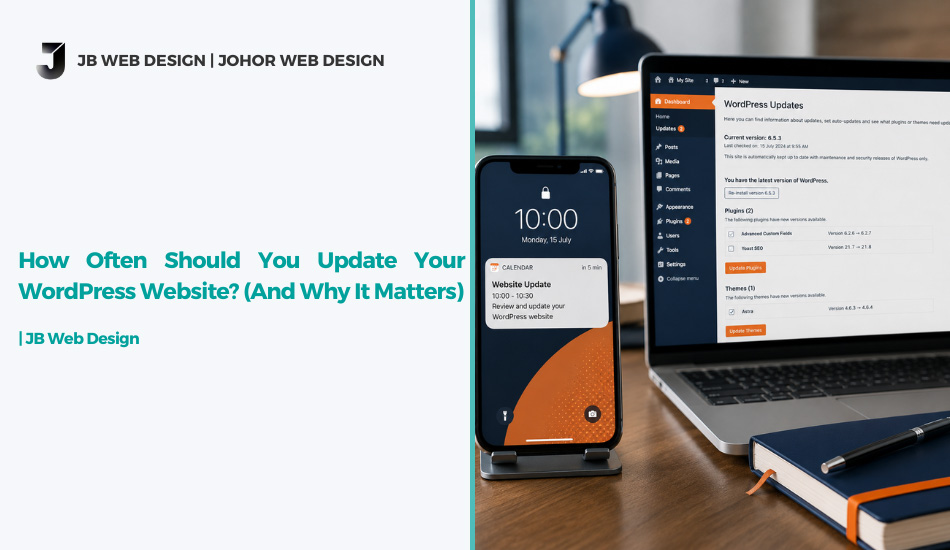
How Often Should You Update Your WordPress Website? (And Why It Matters)
Here’s the short answer: you should update WordPress website core files weekly, plugins and themes as soon as security patches drop, and run a full review monthly. If that sounds more frequent than what you’re currently doing, you’re not alone — most business owners only remember their website exists when something breaks.
Before we get into the detailed schedule, here’s why the timing actually matters.
The Quick Answer
A realistic update rhythm looks like this:
- Weekly — check for WordPress core, plugin, and theme updates
- Immediately — apply any update flagged as a security patch
- Monthly — review inactive plugins, broken links, and backup integrity
- Quarterly — deeper database cleanup and full site audit
If you’re only logging in when something looks broken, you’re already behind. Let’s look at why.
Why You Should Update WordPress Website Regularly
WordPress powers a huge share of the web, which makes it a constant target. Every plugin and theme you install adds another potential entry point, and developers patch vulnerabilities as they’re discovered. When you delay an update, you’re not just missing a new feature — you’re leaving a documented, publicly known gap open on your own site.
There’s also a compatibility angle most business owners don’t think about. WordPress core, PHP, plugins, and themes all evolve together. Wait too long to update WordPress website components and you risk one piece falling out of sync with another, which is usually when a site suddenly breaks after what looks like a routine update.
WordPress Update Frequency: A Realistic Schedule
WordPress update frequency isn’t a one-size-fits-all number, but most well-maintained business sites follow a similar pattern once you break it down by component:
Core updates — WordPress typically releases minor updates (security and maintenance releases) several times a year, often automatically. Major version updates happen less often but deserve a manual check before applying, especially if your site relies on older plugins. You can track release timing on the official WordPress release page.
Plugin and theme updates — this is where WordPress update frequency needs to be tightest. Plugins are the most common source of vulnerabilities, so a weekly check (or better, automatic updates for trusted plugins) is the realistic minimum.
Content and structural review — not every update is a security patch. A monthly pass to check broken links, outdated pricing, and slow-loading pages keeps the site functioning the way visitors expect, which ties directly into how the site performs for both users and search engines.
If weekly check-ins sound unrealistic alongside actually running your business, that’s usually the point where a proper WordPress maintenance checklist or a managed website maintenance service makes more sense than trying to remember it yourself.
What Happens If You Delay
Skipping updates rarely causes an immediate, obvious problem — that’s exactly what makes it risky. The damage tends to show up quietly: a slower site, a plugin conflict that breaks a checkout form, or a security gap that gets exploited months after the patch was already available. We’ve covered the visitor-facing side of this before in our piece on a website losing customers — an outdated site doesn’t just look neglected, it behaves that way too.
If your site has been left untouched for a year or more, patching individual updates might not be enough. At that point, it’s worth checking the signs your website needs a revamp rather than trying to update years of accumulated plugin conflicts one at a time.
Final Thoughts
Deciding how often to update WordPress website components isn’t about chasing perfection — it’s about closing the gap between “known issue” and “fixed issue” before it costs you traffic, security, or customer trust. If keeping up with WordPress update frequency feels like one more thing on an already full plate, feel free to get in touch and we’ll walk you through what your site actually needs.



How Often Should You Update Your WordPress Website? (And Why It Matters)
Here’s the short answer: you should update WordPress website core files weekly, plugins and themes as soon as security patches drop, and run a full review monthly. If that sounds more frequent than what you’re currently doing, you’re not alone — most business owners only remember their website exists when something breaks.
Before we get into the detailed schedule, here’s why the timing actually matters.
The Quick Answer
A realistic update rhythm looks like this:
- Weekly — check for WordPress core, plugin, and theme updates
- Immediately — apply any update flagged as a security patch
- Monthly — review inactive plugins, broken links, and backup integrity
- Quarterly — deeper database cleanup and full site audit
If you’re only logging in when something looks broken, you’re already behind. Let’s look at why.
Why You Should Update WordPress Website Regularly
WordPress powers a huge share of the web, which makes it a constant target. Every plugin and theme you install adds another potential entry point, and developers patch vulnerabilities as they’re discovered. When you delay an update, you’re not just missing a new feature — you’re leaving a documented, publicly known gap open on your own site.
There’s also a compatibility angle most business owners don’t think about. WordPress core, PHP, plugins, and themes all evolve together. Wait too long to update WordPress website components and you risk one piece falling out of sync with another, which is usually when a site suddenly breaks after what looks like a routine update.
WordPress Update Frequency: A Realistic Schedule
WordPress update frequency isn’t a one-size-fits-all number, but most well-maintained business sites follow a similar pattern once you break it down by component:
Core updates — WordPress typically releases minor updates (security and maintenance releases) several times a year, often automatically. Major version updates happen less often but deserve a manual check before applying, especially if your site relies on older plugins. You can track release timing on the official WordPress release page.
Plugin and theme updates — this is where WordPress update frequency needs to be tightest. Plugins are the most common source of vulnerabilities, so a weekly check (or better, automatic updates for trusted plugins) is the realistic minimum.
Content and structural review — not every update is a security patch. A monthly pass to check broken links, outdated pricing, and slow-loading pages keeps the site functioning the way visitors expect, which ties directly into how the site performs for both users and search engines.
If weekly check-ins sound unrealistic alongside actually running your business, that’s usually the point where a proper WordPress maintenance checklist or a managed website maintenance service makes more sense than trying to remember it yourself.
What Happens If You Delay
Skipping updates rarely causes an immediate, obvious problem — that’s exactly what makes it risky. The damage tends to show up quietly: a slower site, a plugin conflict that breaks a checkout form, or a security gap that gets exploited months after the patch was already available. We’ve covered the visitor-facing side of this before in our piece on a website losing customers — an outdated site doesn’t just look neglected, it behaves that way too.
If your site has been left untouched for a year or more, patching individual updates might not be enough. At that point, it’s worth checking the signs your website needs a revamp rather than trying to update years of accumulated plugin conflicts one at a time.
Final Thoughts
Deciding how often to update WordPress website components isn’t about chasing perfection — it’s about closing the gap between “known issue” and “fixed issue” before it costs you traffic, security, or customer trust. If keeping up with WordPress update frequency feels like one more thing on an already full plate, feel free to get in touch and we’ll walk you through what your site actually needs.