
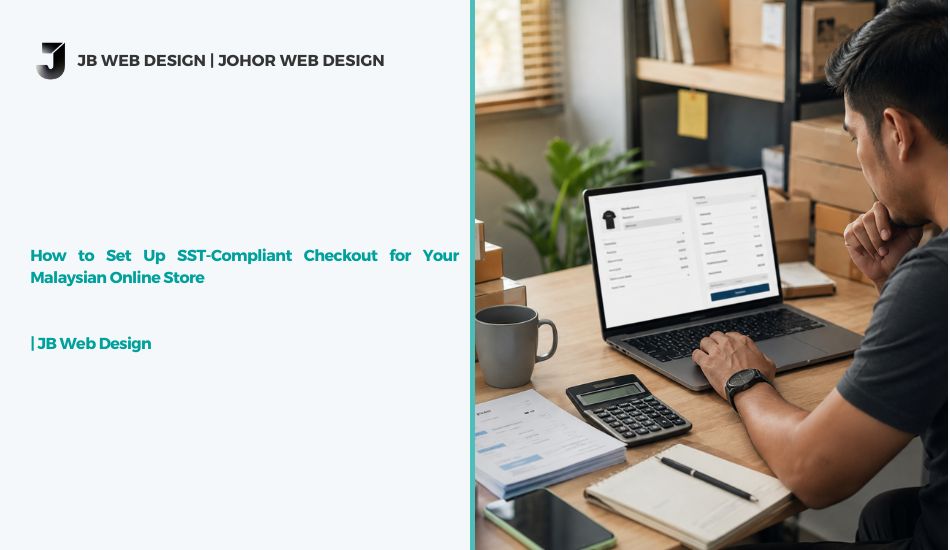
SST-Compliant Checkout: 5 Essential Steps to Avoid Fines
The Short Answer First
Here’s the direct answer: setting up an SST-compliant checkout isn’t about installing one plugin and forgetting it — it’s about making sure your tax calculation, invoice display, and record-keeping all line up with what the Royal Malaysian Customs Department actually requires. Get it wrong, and you’re not just risking a clunky checkout experience; you’re risking penalties, backdated tax bills, and awkward conversations with your accountant.
The good news is that a proper SST checkout Malaysia setup is achievable on almost any platform — WooCommerce, Shopify, or a custom build — as long as it’s configured correctly from day one. Most online sellers who run into trouble didn’t ignore SST on purpose; they simply assumed their platform’s default tax settings were “good enough,” which is rarely true out of the box.
Let’s walk through what actually needs to happen at checkout, and why it matters more than most sellers realize.
Note: This article is written for general business guidance. For your specific tax obligations, always confirm the details with LHDN, Royal Malaysian Customs, or a licensed tax advisor.
Why SST Compliance at Checkout Actually Matters
A lot of business owners treat SST as a backend accounting issue — something the finance team deals with at month-end. But if you’re selling online, SST compliance starts the moment a customer clicks “checkout,” not after the sale is closed.
Here’s why: the amount displayed, the tax breakdown shown, and the invoice generated at that exact moment become your legal record. If your checkout shows the wrong tax amount, or doesn’t clearly separate taxable and non-taxable items, you’re creating a paper trail that doesn’t match what you’re required to report. That mismatch is exactly what gets flagged during an audit.
For growing Malaysian businesses, this isn’t a small detail — it’s foundational. A checkout that handles online store SST compliance correctly protects you from disputes with customers over pricing, and protects you from compliance issues down the line.
How to Set Up an SST-Compliant Checkout: What Your Setup Actually Needs
Getting this right comes down to five practical pieces. None of them are complicated on their own, but skipping even one tends to cause problems later.
- Correct tax classification for every product.
Not everything you sell is taxed the same way. Some goods and services fall under Sales Tax, some under Service Tax, and some are exempt entirely. Your checkout needs to apply the right rate per item — not a blanket rate across your whole catalog. - Clear tax display at checkout.
Customers should see the tax amount broken out clearly before they pay, not buried in a lump-sum total. This isn’t just good practice — it’s what makes your checkout genuinely SST-compliant rather than just “close enough.” - Accurate, sequential invoice numbering.
Every transaction needs a proper invoice trail. Gaps or duplicate numbers are one of the fastest ways to raise questions during a review. - Registration threshold awareness.
If your revenue is approaching the SST registration threshold, your checkout setup needs to be ready before you cross it — not scrambled together afterward. - E-invoicing readiness.
With Malaysia’s e-invoicing rollout continuing to expand across business sizes, your checkout system increasingly needs to generate invoices in a format that’s compatible with LHDN’s e-invoicing requirements, not just a plain PDF receipt.
If your current website wasn’t built with any of this in mind, it’s usually a sign the underlying platform choice needs a second look — our comparison of WooCommerce vs Shopify for Malaysian sellers covers how each platform handles tax configuration differently.
Online Store SST Compliance and E-Invoicing Malaysia Checkout: How They Connect
This is where a lot of sellers get confused, because SST and e-invoicing are related but not the same thing. SST is the tax itself. E-invoicing is the format and process by which that tax information gets reported and verified.
An e-invoicing Malaysia checkout setup needs to produce invoices that include the required fields — buyer and seller details, itemized tax amounts, and a unique invoice reference — in a structure that can eventually be validated through LHDN’s MyInvois system. For businesses still using basic invoice templates or manually generated PDFs, this is usually the biggest gap.
The practical fix isn’t complicated, but it does take planning: work with your web developer to confirm your checkout or invoicing plugin can either integrate directly with MyInvois or export data in a compatible format. Waiting until enforcement affects your business size is a risky way to approach this — retrofitting a checkout under deadline pressure is far messier than building it correctly the first time.
For the official requirements straight from the source, LHDN’s e-Invois official portal and the Royal Malaysian Customs Department’s official SST information portal are worth bookmarking — they get updated as regulations evolve, which is more than can be said for most third-party summaries.
Common Mistakes That Undermine SST Compliance
We see the same handful of issues repeatedly when reviewing client checkouts:
- Using a platform’s default tax settings without customizing them.
Default settings are built for general use, not Malaysia-specific tax rules. - Treating SST as a one-time setup.
Tax rules and thresholds change. A checkout configured correctly two years ago may no longer be accurate today. - No clear audit trail.
If your invoicing system can’t produce a clean, sequential record on demand, that’s a real vulnerability — not just an inconvenience. - Ignoring the connection between checkout design and conversions.
A confusing tax breakdown at checkout doesn’t just create compliance risk — it can also make customers abandon their cart. If your store’s checkout is already struggling to convert visitors, it’s worth reading why your online store isn’t converting before assuming tax display is the only issue at play.
Final Word
An SST-compliant checkout isn’t a one-off technical task you tick off a list — it’s an ongoing part of running a legitimate, trustworthy online business in Malaysia. The businesses that get this right treat it the same way they treat website security or performance: something to configure properly once, then review regularly as rules and revenue change.
If your current setup feels like it was built quickly without SST or e-invoicing in mind, it’s worth having it properly reviewed before it becomes a bigger problem. Our team can assess your checkout, flag what needs fixing, and help you build a store that’s compliant and easy to buy from. Explore our digital marketing services or get in touch to talk through where your store currently stands.



SST-Compliant Checkout: 5 Essential Steps to Avoid Fines
The Short Answer First
Here’s the direct answer: setting up an SST-compliant checkout isn’t about installing one plugin and forgetting it — it’s about making sure your tax calculation, invoice display, and record-keeping all line up with what the Royal Malaysian Customs Department actually requires. Get it wrong, and you’re not just risking a clunky checkout experience; you’re risking penalties, backdated tax bills, and awkward conversations with your accountant.
The good news is that a proper SST checkout Malaysia setup is achievable on almost any platform — WooCommerce, Shopify, or a custom build — as long as it’s configured correctly from day one. Most online sellers who run into trouble didn’t ignore SST on purpose; they simply assumed their platform’s default tax settings were “good enough,” which is rarely true out of the box.
Let’s walk through what actually needs to happen at checkout, and why it matters more than most sellers realize.
Note: This article is written for general business guidance. For your specific tax obligations, always confirm the details with LHDN, Royal Malaysian Customs, or a licensed tax advisor.
Why SST Compliance at Checkout Actually Matters
A lot of business owners treat SST as a backend accounting issue — something the finance team deals with at month-end. But if you’re selling online, SST compliance starts the moment a customer clicks “checkout,” not after the sale is closed.
Here’s why: the amount displayed, the tax breakdown shown, and the invoice generated at that exact moment become your legal record. If your checkout shows the wrong tax amount, or doesn’t clearly separate taxable and non-taxable items, you’re creating a paper trail that doesn’t match what you’re required to report. That mismatch is exactly what gets flagged during an audit.
For growing Malaysian businesses, this isn’t a small detail — it’s foundational. A checkout that handles online store SST compliance correctly protects you from disputes with customers over pricing, and protects you from compliance issues down the line.
How to Set Up an SST-Compliant Checkout: What Your Setup Actually Needs
Getting this right comes down to five practical pieces. None of them are complicated on their own, but skipping even one tends to cause problems later.
- Correct tax classification for every product.
Not everything you sell is taxed the same way. Some goods and services fall under Sales Tax, some under Service Tax, and some are exempt entirely. Your checkout needs to apply the right rate per item — not a blanket rate across your whole catalog. - Clear tax display at checkout.
Customers should see the tax amount broken out clearly before they pay, not buried in a lump-sum total. This isn’t just good practice — it’s what makes your checkout genuinely SST-compliant rather than just “close enough.” - Accurate, sequential invoice numbering.
Every transaction needs a proper invoice trail. Gaps or duplicate numbers are one of the fastest ways to raise questions during a review. - Registration threshold awareness.
If your revenue is approaching the SST registration threshold, your checkout setup needs to be ready before you cross it — not scrambled together afterward. - E-invoicing readiness.
With Malaysia’s e-invoicing rollout continuing to expand across business sizes, your checkout system increasingly needs to generate invoices in a format that’s compatible with LHDN’s e-invoicing requirements, not just a plain PDF receipt.
If your current website wasn’t built with any of this in mind, it’s usually a sign the underlying platform choice needs a second look — our comparison of WooCommerce vs Shopify for Malaysian sellers covers how each platform handles tax configuration differently.
Online Store SST Compliance and E-Invoicing Malaysia Checkout: How They Connect
This is where a lot of sellers get confused, because SST and e-invoicing are related but not the same thing. SST is the tax itself. E-invoicing is the format and process by which that tax information gets reported and verified.
An e-invoicing Malaysia checkout setup needs to produce invoices that include the required fields — buyer and seller details, itemized tax amounts, and a unique invoice reference — in a structure that can eventually be validated through LHDN’s MyInvois system. For businesses still using basic invoice templates or manually generated PDFs, this is usually the biggest gap.
The practical fix isn’t complicated, but it does take planning: work with your web developer to confirm your checkout or invoicing plugin can either integrate directly with MyInvois or export data in a compatible format. Waiting until enforcement affects your business size is a risky way to approach this — retrofitting a checkout under deadline pressure is far messier than building it correctly the first time.
For the official requirements straight from the source, LHDN’s e-Invois official portal and the Royal Malaysian Customs Department’s official SST information portal are worth bookmarking — they get updated as regulations evolve, which is more than can be said for most third-party summaries.
Common Mistakes That Undermine SST Compliance
We see the same handful of issues repeatedly when reviewing client checkouts:
- Using a platform’s default tax settings without customizing them.
Default settings are built for general use, not Malaysia-specific tax rules. - Treating SST as a one-time setup.
Tax rules and thresholds change. A checkout configured correctly two years ago may no longer be accurate today. - No clear audit trail.
If your invoicing system can’t produce a clean, sequential record on demand, that’s a real vulnerability — not just an inconvenience. - Ignoring the connection between checkout design and conversions.
A confusing tax breakdown at checkout doesn’t just create compliance risk — it can also make customers abandon their cart. If your store’s checkout is already struggling to convert visitors, it’s worth reading why your online store isn’t converting before assuming tax display is the only issue at play.
Final Word
An SST-compliant checkout isn’t a one-off technical task you tick off a list — it’s an ongoing part of running a legitimate, trustworthy online business in Malaysia. The businesses that get this right treat it the same way they treat website security or performance: something to configure properly once, then review regularly as rules and revenue change.
If your current setup feels like it was built quickly without SST or e-invoicing in mind, it’s worth having it properly reviewed before it becomes a bigger problem. Our team can assess your checkout, flag what needs fixing, and help you build a store that’s compliant and easy to buy from. Explore our digital marketing services or get in touch to talk through where your store currently stands.